

We’re pleased to announce an update that introduces the Employee External ID field, a flexible and optional feature designed to help you align employee data in Remofirst with your internal systems such as HRIS, payroll, or other tools.
What is an Employee External ID?
The Employee External ID is a unique identifier you can assign to each employee profile in Remofirst to match your own internal employee IDs. This makes syncing and cross-referencing employee data across platforms easier and more consistent.
This field:
- Does not replace the RemoFirst Employee ID
- Is optional and intended for your internal reference
- Supports letters, numbers, and special characters (up to 100 characters)
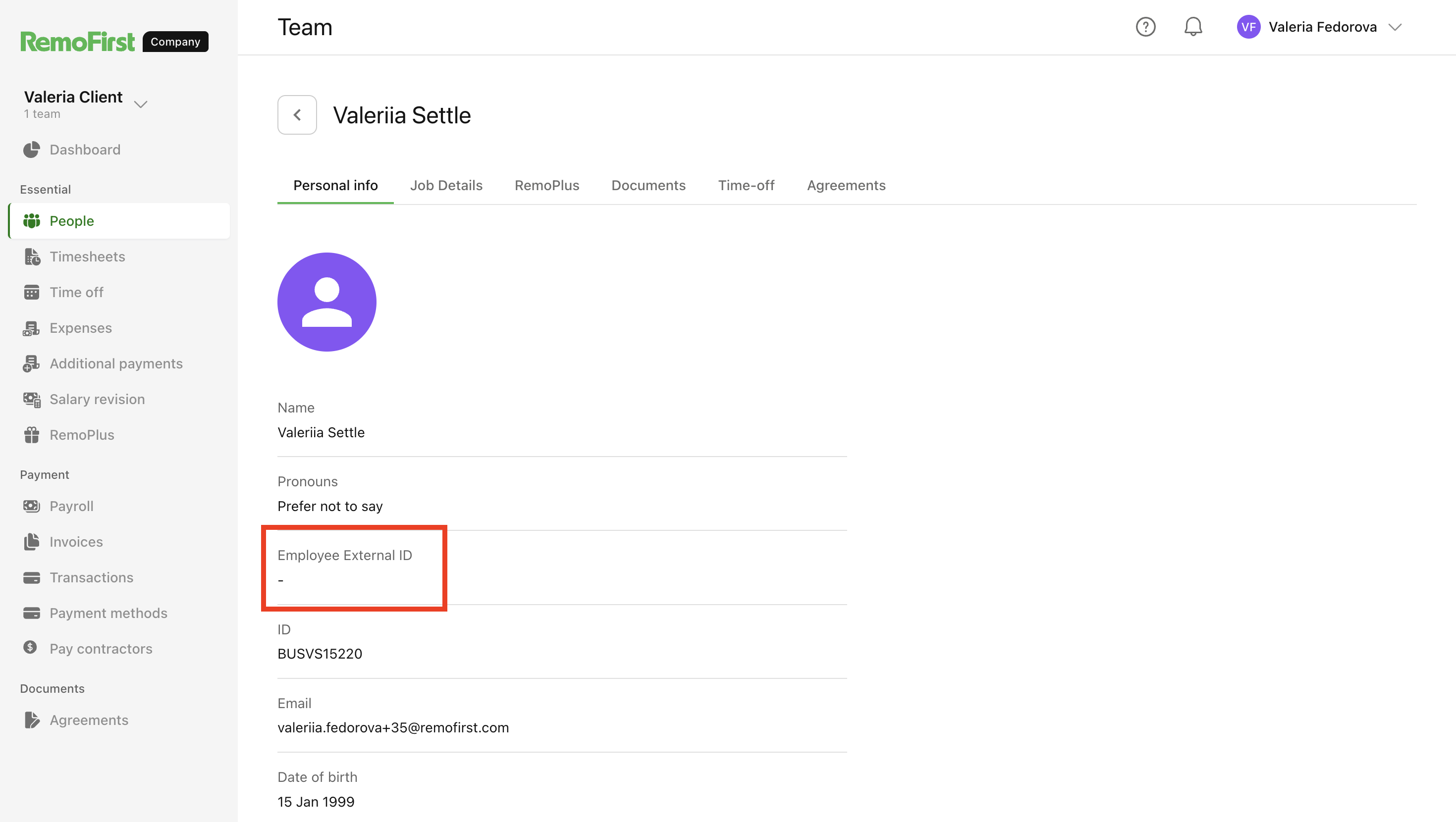
Where to find and update the Employee External ID
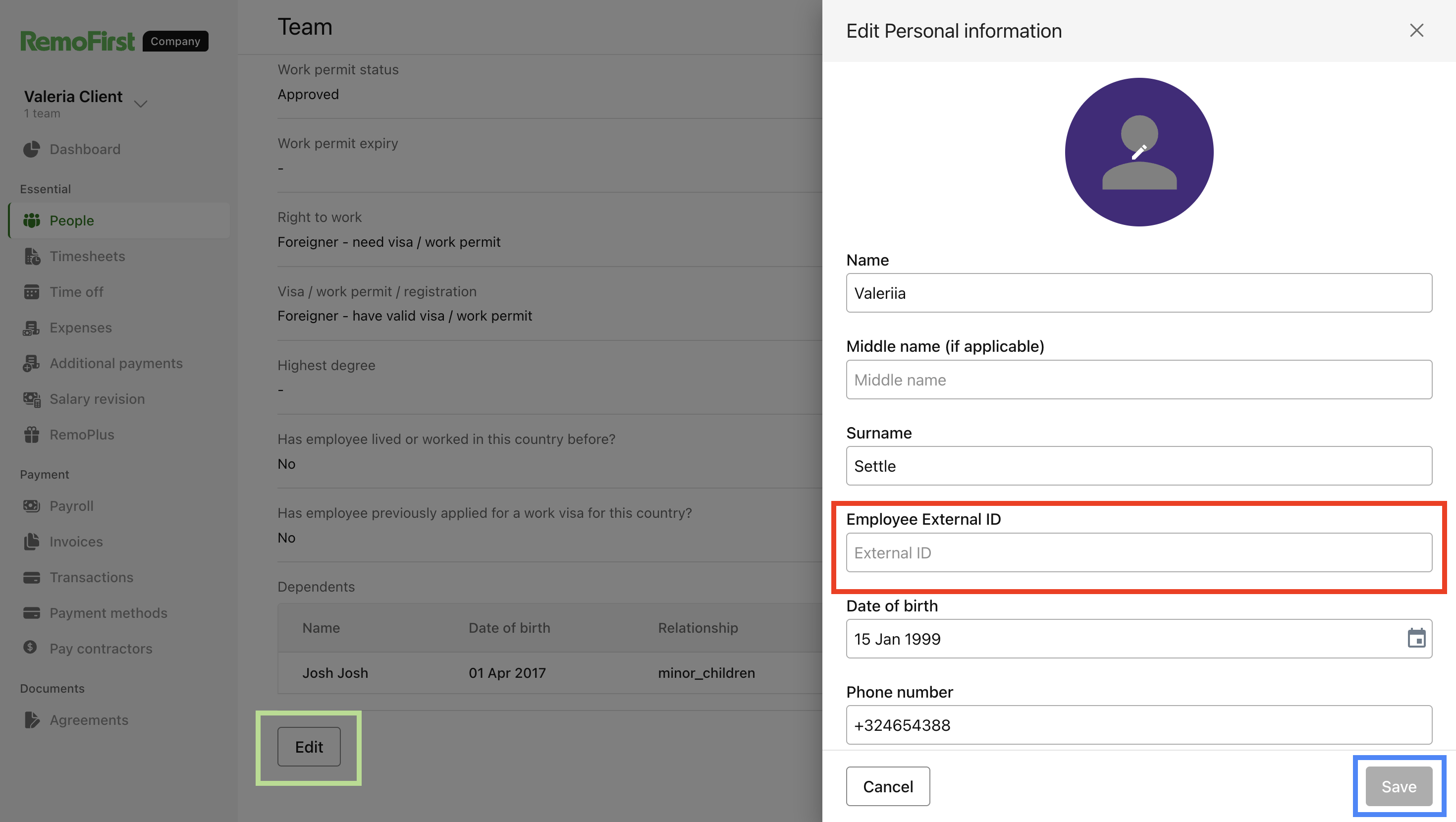
You can add or edit this field in two places:
- When adding a new employee in the Client app
- Within an existing employee’s profile under the Personal Info tab
All client users can edit this field without needing approval.
When should you use it?
The Employee External ID is useful if you:
- Already assign internal employee IDs within your company
- Want to maintain consistent employee references across HR, payroll, and reporting systems
If you don’t use internal employee IDs or rely solely on Remofirst IDs, you can leave this field empty.
Important notes
- The field is for reference only and does not affect Remofirst functionality
- It doesn’t trigger validations, workflows, or notifications
- It has no impact on onboarding, payroll, or compliance processes
- The value is visible to Admin users
For full details and step-by-step instructions, check out our client guide here:
Employee External ID field guide
If you have questions or want assistance using this feature, please reach out to our support team. We’re here to help you get the most from Remofirst.
Thank you for trusting us with your global people operations!